
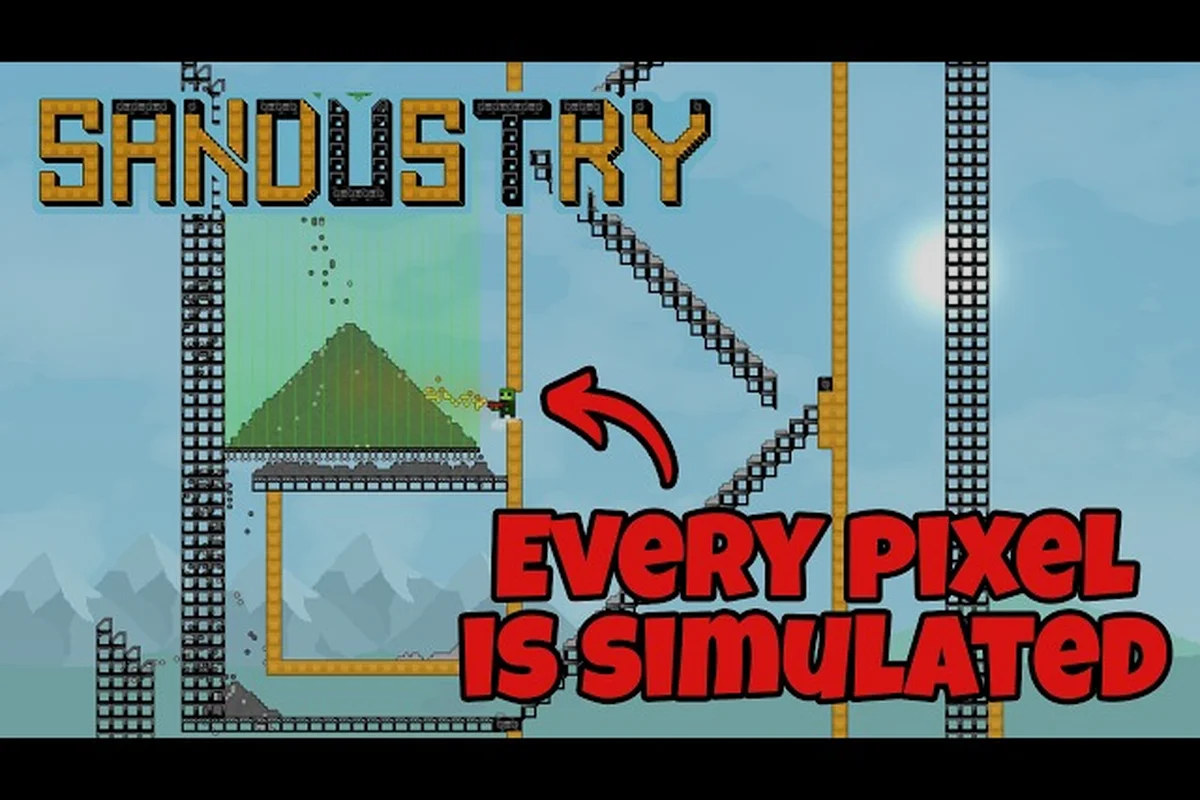
If you are planning to build sprawling sand factories in Sandustry, knowing the exact Sandustry minimum requirements is the first step to a smooth experience. The official Steam listing confirms the game needs only a modest PC, but the recommended specs unlock a noticeably better performance profile. This article breaks down every system requirement, explains how the game's sand physics engine uses your hardware, and covers the Sandustry release date 2026 timeline so you can prepare before launch day arrives.
The reason these specs matter goes beyond simple compatibility. Sandustry simulates fully destructible pixel-based worlds where every grain of sand behaves individually, which means CPU load can spike dramatically when you automate complex production chains. Players who meet only the minimum bar often report slower frame rates during large-scale mining operations, while those with recommended hardware enjoy consistent 60 FPS gameplay even with dozens of machines running simultaneously. Get the latest Sandustry system requirements below, then check your rig against the tables to see exactly where you stand.
Sandustry System Requirements Breakdown
The official Sandustry Steam page lists two distinct performance tiers, and understanding the gap between them helps you decide whether your current PC will handle the game comfortably or if an upgrade is worth considering. The minimum configuration targets 30 FPS at 1080p with low graphics settings, while the recommended setup pushes toward 60 FPS at the same resolution with medium-to-high settings. Both tiers assume you are running the game in fullscreen mode with no background applications competing for resources. Here is the complete specification table straight from the developer's published data:
| Component | Minimum Requirements | Recommended Requirements |
|---|---|---|
| Operating System | Windows 10 (64-bit) | Windows 10 (64-bit) |
| Processor | Intel Core i5-4670K / AMD FX-8100 | Intel Core i5-9600K / AMD Ryzen 5 1600 |
| Memory | 4 GB RAM | 8 GB RAM |
| Graphics Card | GeForce GTX 550 Ti / Radeon HD 7750 | GeForce GTX 960 / Radeon RX 570 |
| DirectX | Version 11 | Version 12 |
| Storage | 1 GB available space | 1 GB available space |
| Additional Notes | SSD recommended | SSD recommended |
The storage requirement is refreshingly small at just 1 GB, which reflects the game's efficient procedural generation approach rather than pre-baked assets. However, the SSD recommendation appears in both tiers because the game streams terrain data continuously as you dig deeper into the world, and a solid-state drive dramatically reduces loading stutters when new chunks generate. Players using traditional hard drives report longer pauses when transitioning between surface mining and underground exploration, so if you have the option, installing Sandustry on an SSD is the single most impactful upgrade you can make.
Understanding the Sand Physics Engine Demands
Sandustry's core appeal comes from its voxel-based sand physics system, where every pixel behaves as an independent particle that responds to gravity, pressure, and player interaction. This is fundamentally different from traditional factory games like Factorio or Satisfactory, which use grid-based logic that is easier for CPUs to process. The continuous physics simulation means your processor does substantially more work per frame, which explains why the minimum CPU requirement includes a quad-core processor from the mid-2010s era. The performance implications of this design become apparent when you compare Sandustry minimum requirements against other popular factory games:
| Game | Minimum CPU | Minimum GPU | Minimum RAM |
|---|---|---|---|
| Sandustry | Core i5-4670K / FX-8100 | GTX 550 Ti / HD 7750 | 4 GB |
| Factorio | Dual-core 2.5 GHz | Integrated graphics | 4 GB |
| Satisfactory | Core i5-3570K / Ryzen 3 1300X | GTX 770 / RX 6600 | 8 GB |
| Dyson Sphere Program | Core i3-530 / FX-4100 | GTX 750 Ti / R9 270 | 4 GB |
As the table shows, Sandustry sits comfortably in the middle of the factory game spectrum. It demands more than Factorio because of the physics simulation, but it is far more forgiving than Satisfactory's fully 3D rendering requirements. The DirectX 11 minimum means even older graphics cards from the early 2010s can render the game, although you will want to keep shadows and particle effects at low settings if you are running a GTX 550 Ti or equivalent.
CPU Bottleneck Scenarios
The most common performance complaint reported by players involves CPU bottlenecking during large-scale automation. When you connect dozens of machines through conveyor systems, each machine must calculate its input and output states every physics tick. Community testing suggests that the minimum-spec FX-8100 processor starts showing frame drops once you exceed roughly 50 active machines in a single loaded area.
If you plan to build massive factories with hundreds of automated machines, the recommended Ryzen 5 1600 or Core i5-9600K provides roughly double the single-thread performance of the minimum processors. Single-thread speed matters more than core count here because the physics engine runs primarily on one thread, with secondary threads handling rendering and audio. Players who overclock their CPUs report noticeable improvements in maintaining 60 FPS during heavy automation sequences.
GPU Load and Resolution Scaling
The graphics card handles rendering the pixel-based world, and the load scales significantly with resolution. At 1080p, even the minimum GTX 550 Ti can maintain 30 FPS with reduced draw distance, but pushing to 1440p or 4K requires the recommended tier or better. The game's art style uses simple textures, so VRAM usage stays low, but the sheer number of visible particles during explosions or large-scale mining operations can strain older GPUs.
According to community reports, the Radeon RX 570 recommended card handles 1080p at high settings without breaking a sweat, typically maintaining 60 FPS even during intense sand collapse events. If you are running a laptop with integrated graphics, expect to play at 720p with all settings at minimum, and be prepared for occasional frame dips when the physics simulation gets busy.
Sandustry Release Date 2026 and Launch Timeline
The Sandustry release date 2026 has been a hot topic since the game's Steam page went live, and the developer has confirmed the game is targeting a launch window rather than a specific day. According to the official website at sandustry.com, the team is currently in active development with regular dev update montages posted to their YouTube channel. The most recent Sandustry Dev Updates Montage #2 showcases new machine types and improved sand behavior, suggesting the core gameplay loop is nearing completion. Here is what the community knows about the launch timeline so far:
-
Early Access launch is planned for late 2026, with the developer aiming for a Q4 window based on the current development pace
-
Full release will follow approximately 12-18 months after Early Access, depending on community feedback and feature completion
-
Beta testing for pre-order customers is expected to begin roughly one month before the Early Access launch date
-
Steam page is live now, allowing players to wishlist the game and receive notifications when the Sandustry launch date is officially announced
The development team has been transparent about their progress through the Sandustry early access announcement, which details the roadmap from alpha builds through the public launch. Players who want to track the exact release timing should follow the official YouTube channel, where the developer posts montages every few weeks showing new features and performance optimizations. The gap between the last dev update and the launch date will likely be short, as the team appears to be in the final polish phase based on the production quality of recent videos.
What to Expect at Launch
The initial Sandustry release will include the full sand physics engine, a campaign-style progression system that guides you through increasingly complex automation challenges, and the first tier of machines for ore processing and item crafting. The developer has confirmed that modding support will arrive shortly after launch, with the modding tutorial already documenting the planned mod structure for custom machines and world generation rules.
Players who meet the Sandustry recommended requirements will be able to experience the game at its intended quality level from day one, while those at minimum specs may need to adjust settings during the most demanding sequences. The developer has stated that performance optimization is an ongoing priority, and the first major patch after launch will focus on addressing any frame rate issues reported by the community.
Sandustry Upcoming Update and Patch Notes
The development team maintains a steady cadence of updates, and the Sandustry upcoming update schedule includes both gameplay additions and performance improvements. Based on the Sandustry Dev Updates Montage #1, the next major update will introduce advanced conveyor systems that allow for vertical item transport, which opens up new factory layout possibilities that were previously impossible with the flat conveyor design. The most recent Sandustry update notes highlight several key improvements that affect system requirements:
| Update Feature | Performance Impact | Notes |
|---|---|---|
| Optimized particle physics | 15-20% CPU load reduction | Physics calculations now batch-process idle sand particles |
| Dynamic resolution scaling | Smoother frame rates on low-end GPUs | Automatically adjusts render resolution to maintain target FPS |
| Texture streaming improvements | Reduced VRAM usage by 30% | Textures load progressively instead of all at once |
| Multi-threaded rendering | Better GPU utilization | Secondary threads now handle chunk rendering separately |
These optimizations mean that the effective Sandustry minimum requirements may become slightly more forgiving over time, as the developer continues to refine the engine. The dynamic resolution scaling feature is particularly valuable for players with older graphics cards, as it allows the game to maintain playable frame rates during intense sequences without requiring manual settings adjustments.
Community Feedback and Developer Response
The development team actively monitors community feedback through the official Discord server and Steam forums, and several performance-related suggestions from players have already been implemented. One notable example is the frame rate limiter option, which was added after players reported that uncapped frame rates caused excessive GPU temperatures on high-end cards. The developer also added a benchmark tool that lets players test their system against the Sandustry minimum requirements before the game launches.
According to community reports, the developer has confirmed that the recommended requirements will not increase before launch, meaning players who meet the current recommended specs will continue to have a smooth experience throughout Early Access. However, future updates that introduce more complex machines or larger world sizes could potentially raise the bar, so the team recommends players aim for the recommended tier if they plan long-term engagement with the game.
Preparing Your PC for Sandustry
Now that you know the Sandustry system requirements, here is a practical checklist to ensure your PC is ready for the launch date. Even if your hardware meets the minimum bar, a few software and configuration tweaks can significantly improve your experience without spending any money.
-
Update your graphics drivers to the latest version, as both NVIDIA and AMD have released optimizations for physics-based games that can improve performance by 5-10%
-
Close background applications like web browsers and streaming software during gameplay, since the physics engine is sensitive to CPU contention
-
Enable Game Mode in Windows 10 to prioritize gaming processes and reduce background activity
-
Set your power plan to High Performance in Windows settings, which prevents the CPU from downclocking during intense physics calculations
-
Verify your DirectX installation is up to date, since the game requires DirectX 11 at minimum and DirectX 12 for the recommended experience
For players who are slightly below the minimum requirements, the SSD recommendation is the most cost-effective upgrade path. A budget SATA SSD can be purchased for under $30 and will eliminate the chunk-loading stutters that plague hard drive users. If your CPU is older than the minimum spec, consider lowering the simulation speed setting in the game options, which reduces the physics tick rate and lightens the CPU load at the cost of slightly slower machine processing speeds.
Testing Your System Before Launch
The developer has not yet released a public benchmark tool, but you can approximate your performance by running the game's demo during any beta testing windows. The Sandustry dev update page tracks all public testing opportunities and provides instructions for participating in beta builds. If you miss the beta windows, you can compare your hardware against the requirements table using free tools like CPU-Z and GPU-Z to verify your exact specifications.
Players who plan to use mods should also consider that custom machines and world generation scripts can increase system requirements beyond the base game. The advanced machines guide notes that complex modded setups with hundreds of custom machines may require 16 GB of RAM for comfortable performance, even though the base game runs fine with 8 GB. If modding is part of your plan, budgeting for additional RAM is a wise investment.
Frequently Asked Questions
What are the Sandustry minimum requirements?
The Sandustry minimum requirements are Windows 10 64-bit, an Intel Core i5-4670K or AMD FX-8100 processor, 4 GB of RAM, a GeForce GTX 550 Ti or Radeon HD 7750 graphics card, DirectX 11, and 1 GB of storage space. An SSD is recommended but not required for minimum performance.
When does Sandustry release?
The Sandustry release date 2026 is targeting a Q4 Early Access launch, with the exact day yet to be announced. The developer posts regular updates on the official YouTube channel, and the Steam page allows wishlisting so you will receive a notification when the Sandustry launch date is confirmed.
Can my laptop run Sandustry?
Laptops with dedicated graphics cards that meet the minimum requirements can run the game, but integrated graphics will struggle. If your laptop has an Intel Iris or AMD Radeon integrated GPU, expect to play at 720p with low settings. The game's physics simulation is CPU-intensive, so a modern quad-core processor is essential.
Will the Sandustry upcoming update change system requirements?
The developer has confirmed that system requirements will not increase before the Early Access launch. Future updates may introduce more demanding features, but the current optimization work is focused on reducing CPU load through improved particle physics and multi-threaded rendering, which could make the game run better on lower-end hardware over time.
Do I need an SSD for Sandustry?
An SSD is recommended but not mandatory. Sandustry streams terrain continuously, so hard drives may cause stutters when new chunks generate. Since the install is only 1 GB, even a small SSD eliminates most loading hiccups while meeting the Sandustry minimum requirements comfortably.